
CONTROL YOUR WINE CELLAR FROM THE VINOTAG APP
Vinotag
& Remote control cellars
Control your wine cellar remotely.
Connected to Wi-Fi, you can monitor your wines and adjust your cellar settings (temperature, lighting, alarms) anywhere, from your smartphone or tablet, and with precision.
VINOTAG & Remote control cellars
Remote control features may vary depending on the model and equipment configuration.
01.
I control my wine cellar remotely, anytime
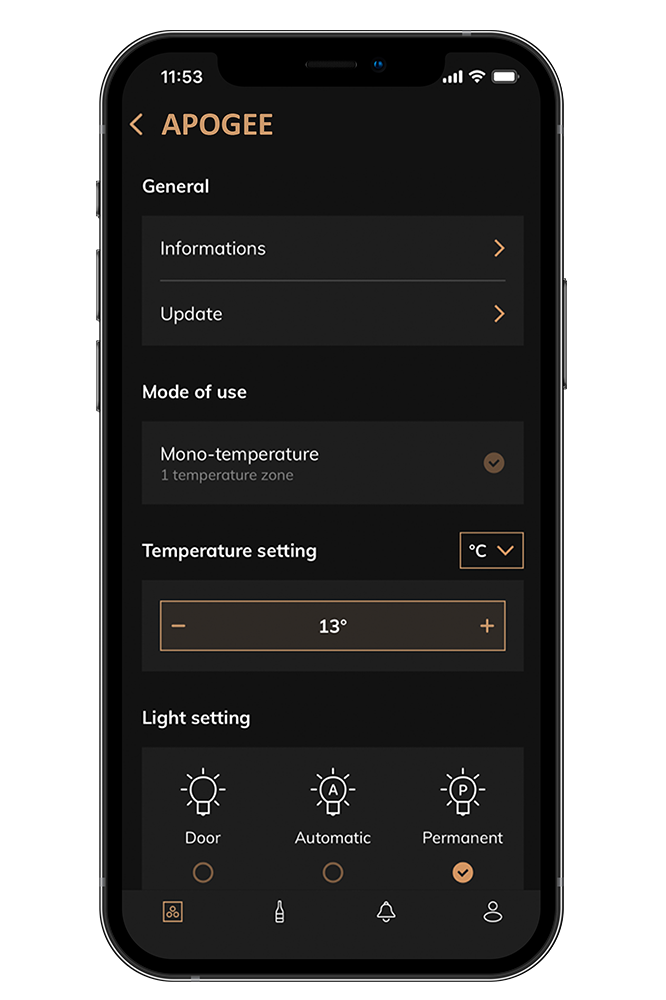
Enjoy true management comfort thanks to connected wine cellars, allowing you to monitor the temperature in real time and adjust it remotely to ensure stability and react immediately in case of variation.
They also allow you to adjust lighting settings — on/off, intensity, color, and ambiance depending on the models — in order to showcase your bottles while preserving optimal storage conditions.
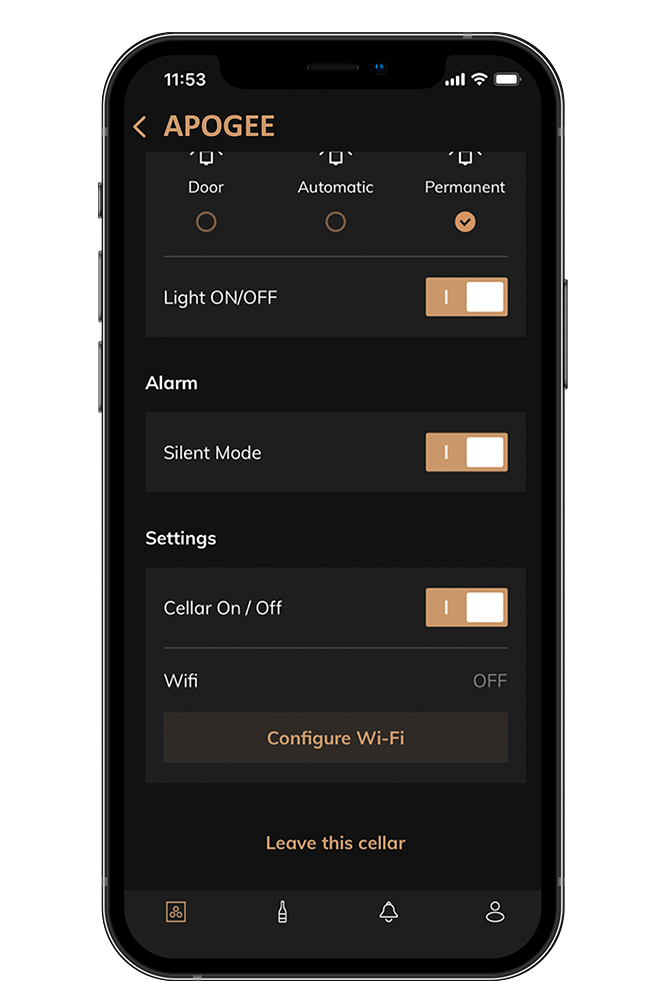
Finally, the customizable alert system, available depending on compatible models, informs you in case of anomalies (door left open, incorrect temperature, maintenance required), ensuring the safety of your wines and complete peace of mind wherever you are.
02.
I adapt my cellar to my desires and remotely control the lighting
Protected and displayed in a true showcase, your finest wines are elegantly highlighted thanks to an integrated under-shelf lighting system. Designed to enhance your bottles without affecting their preservation, this feature diffuses a soft and homogeneous light throughout the cellar, creating a genuine presentation display.
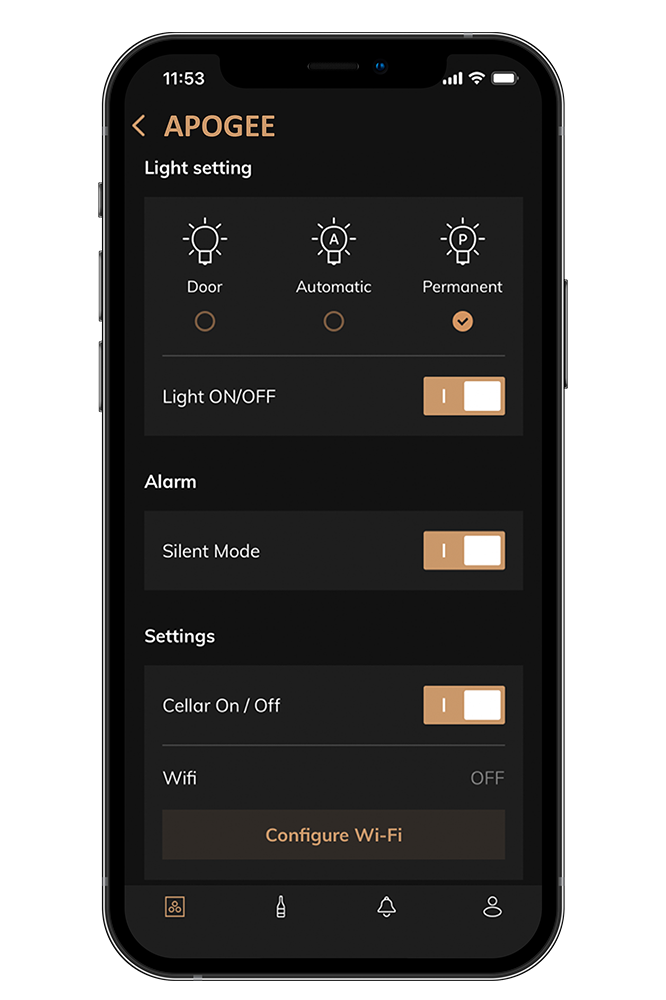
Thanks to the Vinotag application, you can easily personalize your cellar lighting ambiance (options may vary depending on the models):
Door Mode:
The lighting automatically turns on and off when the door is opened or closed. A simple and energy-efficient solution.
Automatic Mode:
The light turns on when the door opens and switches off automatically after a certain delay.
Permanent Mode:
The lighting remains on or off according to your preferences directly from the application. Ideal for enhancing your cellar during dinners or evenings and turning it into a true decorative element.
Brightness Adjustment:
Adjust the lighting intensity according to your needs to create either a cozy or dynamic atmosphere.
Color Adjustment:
Adapt the lighting tone to your decoration or mood: cool white, warm white, or amber.
03.
I keep my wines safe and receive remote alerts
Wine is a sensitive and living product directly influenced by its storage environment. Carefully stored in your cellar, you patiently wait for it to reach its peak, already imagining its aromas and unforgettable tasting moments.
But what would happen if your cellar malfunctioned? If the external environment, your electrical installation, or another factor disturbed its proper operation, what would be the consequences for your finest wines?
Equipped with a remote temperature alert function, depending on the models, connected wine cellars allow you to maintain a stable environment suited to your precious collection. Alerts sent directly to your smartphone or tablet keep you informed in real time about the temperature and any abnormal variations inside your cellar, whether you are at home, at work, or on vacation.
04.
I save time creating my wine register
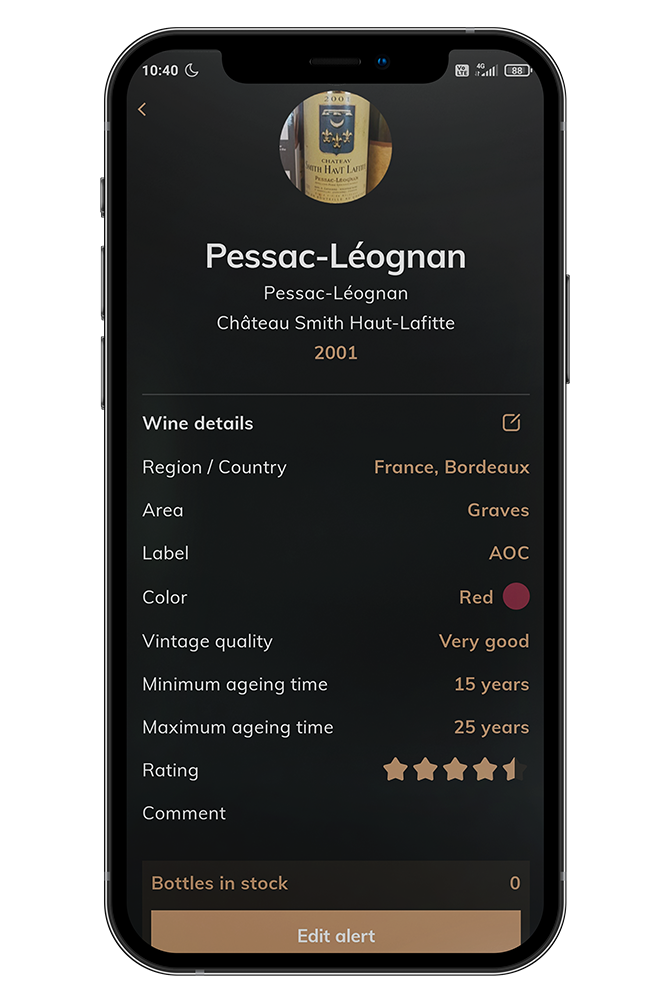
A real time saver for adding bottles to your cellar. No need to manually create your wine sheets anymore: thanks to the partnership between Vinotag and Vivino®, a simple photo of your bottle label gives you access to a pre-filled wine sheet. Vinotag extracts all useful information from Vivino® to create the wine sheet, which you can personalize as you wish.
Feeling lost? Vinotag helps you place your bottles with its ESommelier® feature. This assisted placement technology recommends the ideal available location for storing the bottle in your hands.
Vinotag determines the best location according to the available spaces in your cellar, the aging duration, and the type of wine. An indicator appears on the digital view of your cellar — all you have to do is place your bottle there.
05.
I view my stock in real time
It’s wine fair season and you no longer know what you have in stock? Hosting guests and unsure which bottle to open?
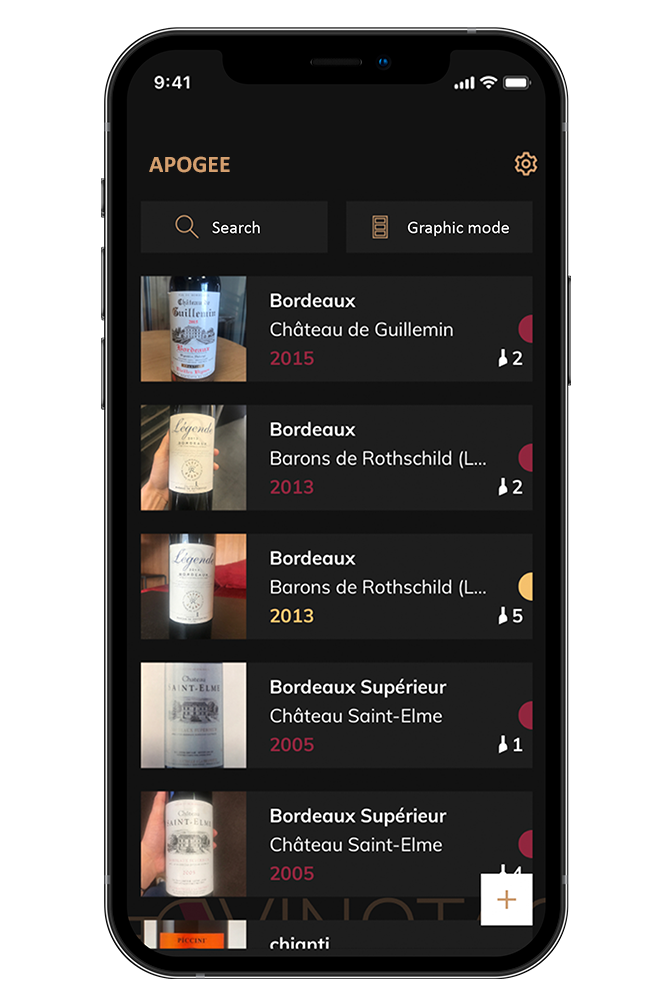
Check your inventory directly from the Vinotag application. For every wine, you know the number of bottles you own and their exact location in your cellar.
Want to locate them physically in your cellar? Vinotag offers a “show in my cellar” button. The application shows you exactly where the requested bottle(s) are located.
In addition to viewing your stock, you can monitor it using stock alerts configured for your favorite wines, ensuring you never run out. Vinotag alerts you when the stock reaches the minimum level you defined.
06.
I enjoy my wines at their peak
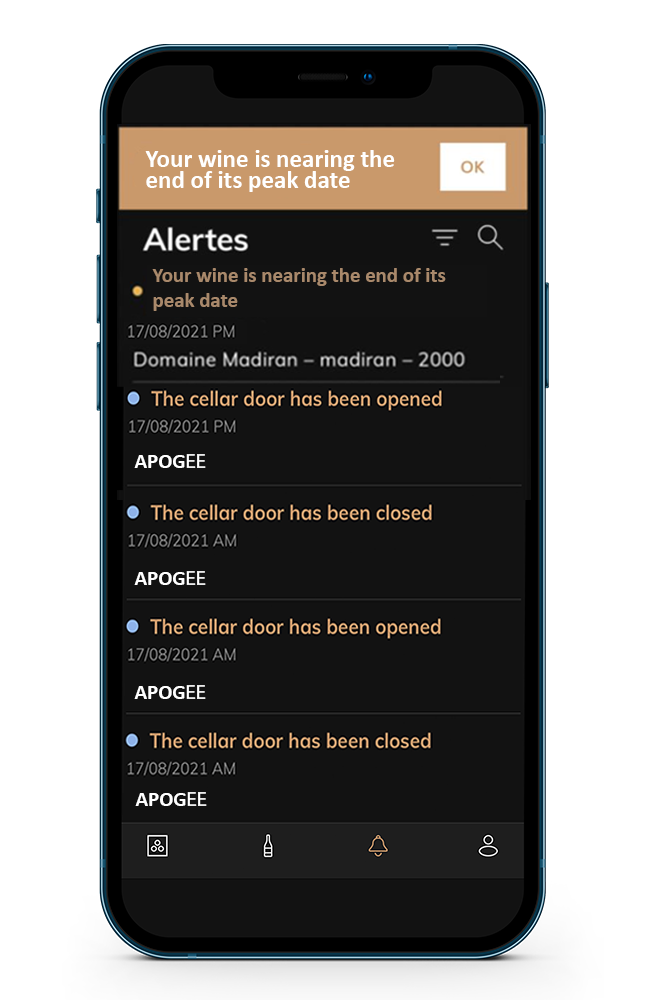
You store your bottles with passion, but sometimes you forget them in your cellar — or drink them too early. Personalize your wine sheets by adding a minimum and maximum aging period to receive alerts when your wines reach their peak and enjoy them at the right moment.
Vinotag informs you as soon as your wine reaches its ideal drinking date. If you still haven’t tasted it, Vinotag reminds you before it loses its aromas with an end-of-peak alert.
Smart AI Assistant
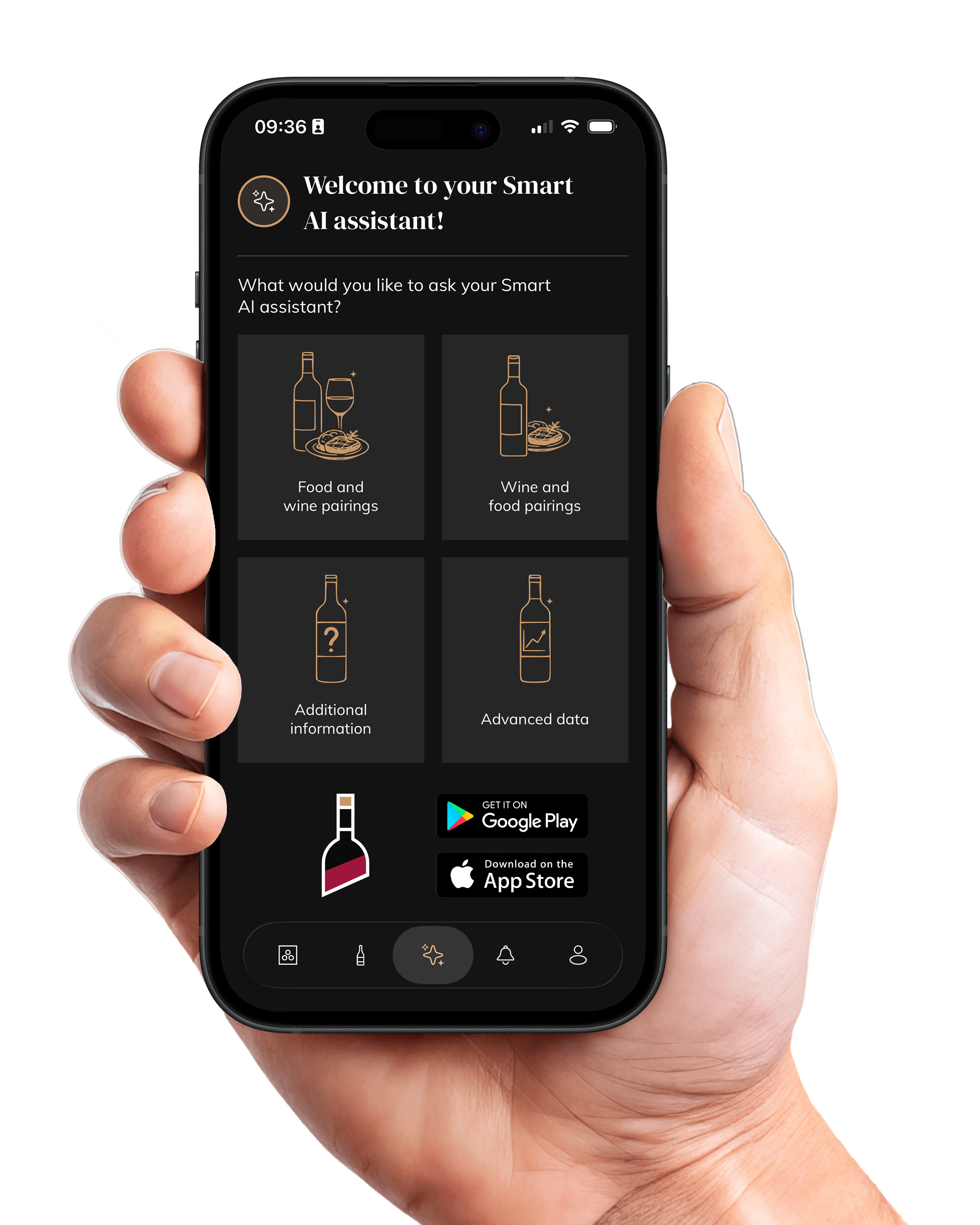
Vinotag takes a new step forward with the integration of AI to enrich your experience. More than just a cellar management tool, the application becomes a true intelligent assistant that advises you, guides you, and adds value to your bottles every day.
-
Food & Wine Pairing: Choose a dish and instantly get a selection of bottles from your cellar that will pair perfectly with it.
-
Wine & Food Pairing: Select a bottle and discover the ideal recipes to highlight its aromas.
-
Additional Information: Access detailed sheets on your wines: origin, vintage, tasting notes, and aging potential.
- Advanced Data: Benefit from personalized analyses of your cellar: your habits, the value of your wines, and the ones to open first.
Discover our remotely controllable ranges!
Apogée Range
Connected aging wine cellars with remote control — La Sommelière Apogée Range
Millésime Range
Connected dual-zone aging wine cellars with remote control — CLIMADIFF MILLESIME Range
Classic Range
Connected aging wine cellar — La Sommelière CLASSIC185
VIP Edition Range
La Sommelière VIP EDITION wine cellars: VIP177 EDITION, VIP273 EDITION, VIP275P EDITION
ECS Range
Dual-zone serving wine cellars with remote control — La Sommelière ECS Range
Platinum Range
PLATINUM Range — Connected serving wine cellars with remote control by Avintage
How to find and remove a bottle from your connected wine cellar?
How to personalize a wine sheet?
How to add a bottle in my wine cellar?
How to add a connected wine cellar?
How to share my wine cellar content?
How do I consult my wine library?
How to manage my alerts?
How to use ESommelier system?